15 Best Android Apps For 2016

Download these apps, then wonder how you ever managed to live without them...
Android vs. Apple, Apple vs. Android. It's one of the big technological showdowns of the 21st Century, and it's already clear that there never will be a definitive winner. Apple will always have the prestige and slick reputation, while Android will always have the raw numbers and geek appeal thanks to its openness and customisability. But one intriguing battleground in this eternal war has been in the app stores of the smartphone behemoths, as recently the Play Store supplanted the Apple App Store as having the biggest offering of apps in the smartphone world. Biggest doesn't necessarily mean best, of course, and the sometimes questionable quality control in the Play Store has made room for tens of thousands of useless, or even virus-riddled, apps to appear. To avoid the bad eggs, and feast only on the digital equivalent of succulent little quail eggs, check out our list of the best Android apps you need to get in 2016.

15. Twilight - Adjust Your Screen Brightness To The Time Of Day
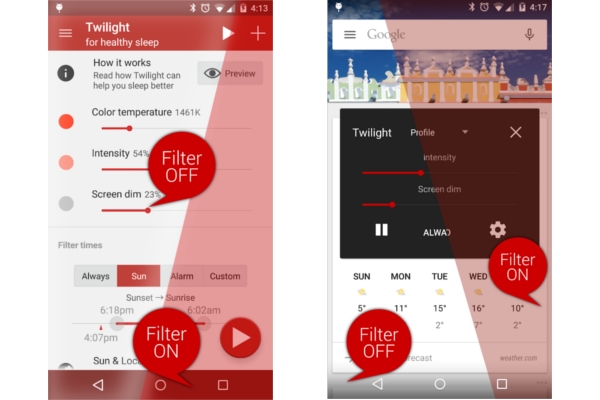
If you use Flux on your computer, then you'll know straight away what to expect from Twilight, and how incredibly useful it is. This plucky display-tweaking app adjusts the colour temperature and brightness of your screen in accordance with the time of day, so when it gets dark in the evenings, it will automatically dim your screen and turn down the colour temperature to give it a reddish hue. Why is this useful? Because the default brightness and colour temperature of your screen is designed to replicate daylight, which is a very unnatural thing for your eyes and brain to be absorbing when it's dark outside. If you read your phone or tablet before bed, for example, a bright, beaming display tricks your silly eyes into thinking it's daytime. You can tweak the brightness and colour temperature so it's one you're comfortable with, and set different profiles depending on whether you're reading, watching a video and so on. To get an idea of how effective it is, when you're using it one evening, switch Twilight off for a second and see how searingly bright your screen is. Once you've started using it, you won't go back.

14. AmpMe - Turn Several Phones Into A Surround Sound System
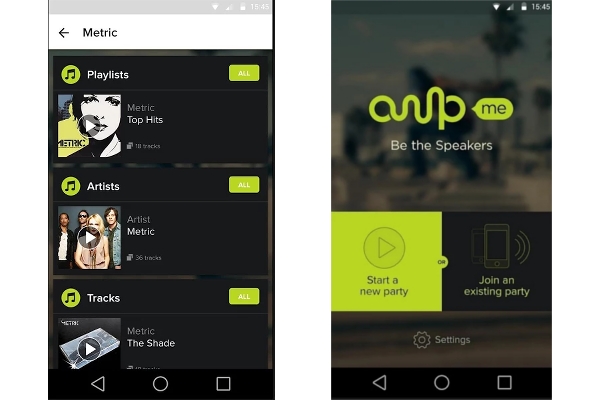
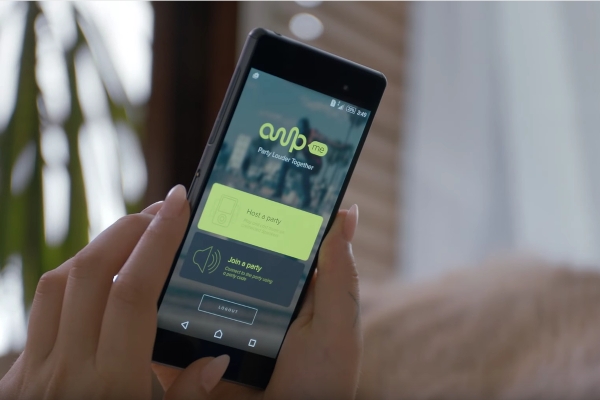
Even though higher-end smartphone manufacturers love to gloat about their ability to deliver booming stereo sound to your ears, they still get drowned out on those sunny days in the park with friends, or when you're driving down the motorway at 100mph. Enter AmpMe, an ingenious solution to your phone's acoustic woes. This app syncs up with several other phones via Bluetooth, and uses them all to play the same music simultaneously - essentially turning each phone into a surround sound speaker. It's easy to use, and you can add as many people as you like to join your party. AmpMe syncs up with the music library on your phone, and also with Soundcloud and several other less well-known music services. But the app is a relative newcomer, and has promised to have more streaming services linked up to it soon. No more need to use a pint glass as an amplifier!

13. Doggcatcher - The Ultimate Podcast Manager
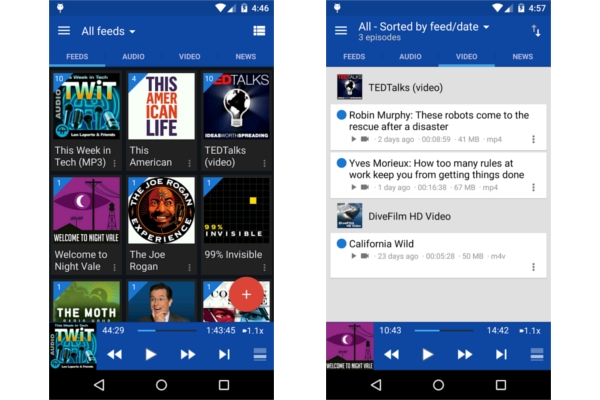
Podcasts are a pretty big thing, so we're told, so it stands to reason that you'll want to keep all that juicy listening material nicely organised. Unlike iOS however, Android doesn't really have an in-built podcast manager, and Doggcatcher is by far your best bet. The app has an easy-to-use material design UI, and crucially you can set it up so that it automatically updates and cleans up your podcast library - so you can set it to download the latest episodes and delete older episodes if you have more than three downloaded, for example, or download the next episode automatically after you've listened to the previous one in a given podcast. Doggcatcher also throws recommendations your way based on the things you already listen to, and it's easy to import your podcast library from iTunes and other apps. To top it all off, it has a hip-sounding name that makes no sense, which is great...

12. Evernote - Sort Your Life Out

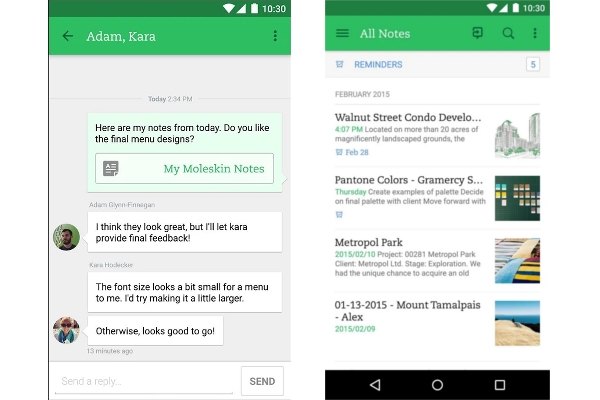
The only app on this list that's so famous it needs no introduction, Evernote nevertheless deserves a mention on any 'best of' apps list. While the statement that Evernote will 'sort your life out' doesn't entail helping you recover from break-ups, family bereavements or other tough times in your life, it'll certainly help you get organised in the aftermath of all those events. Evernote isn't your average sticky note app, but a robust full-on life organiser in which you can create notebooks upon notebooks to help you keep on top of things. It's easy to link photos, videos and articles you find online into Evernote, and you can schedule reminders for the time-sensitive things you need to do in life. The UI takes a little bit of getting used to, but is generally pretty simple considering that you're storing a life's worth of organisation here. Anything you jot down in Evernote can be accessed from other devices, the computer-based Evernote apps, as well as web browsers.

11. Greenify - Get The Most Out Of Your Battery
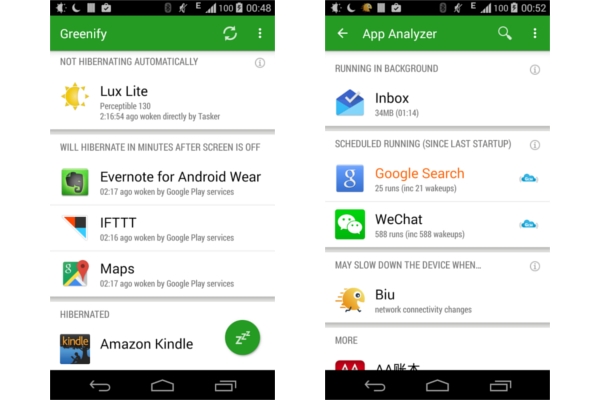
While each major Android OS update brings with it a host of new power-saving features (the Doze mode on Android 6.0 is particularly nifty), most people don't get to use them due to the notoriously slow rollout of Android updates. Even if you do have all the perks of the latest Android version though, Greenify offers an extra level of control over battery-hogging apps that's extremely handy. Made by the stalwart developers at XDA Developers. While plenty of apps out there can be used to disable background processes and apps on your Android device, Greenify has effective 'hibernate' options, which put apps to sleep then open them at points when you find convenient - striking a balance between battery-saving and usability. The biggest benefits come with a rooted phone, because that way Greenify can work entirely in the background without you needing to activate it. If you really want to have full control over which apps are sneakily running on your phone and wasting that precious phone battery fuel, then Greenify is hands-down the best option.

10. OverDrive - A Free Global E-book Library
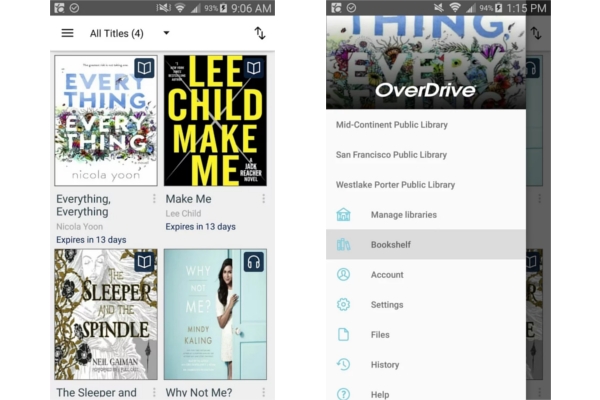
Libraries are slowly coming to be perceived as archaic dungeons reserved for academics and pensioners yet to discover the wonder of eBooks, but a little-known fact is that many libraries have been moving with the times, converting hundreds of thousands of their books into the eBook format and uploading them into vast online archives. This means that you can borrow books from your local library without even having to physically go there, and OverDrive is the best way of doing this. The service is used by over 30,000 libraries worldwide, letting you rent books on your Android device and return them automatically without ever having to worry about getting a fine. OverDrive lets you place holds on books (though why you need to wait for a digital book to be returned by another person is anyone's guess), create wishlists and sync your books across all your devices containing OverDrive. This is the library revolution we've all been waiting for! Though you'll still need to be registered with your local library or institution to take advantage.

9. Sleep Partner - Simplifying Your Nighttime Routine
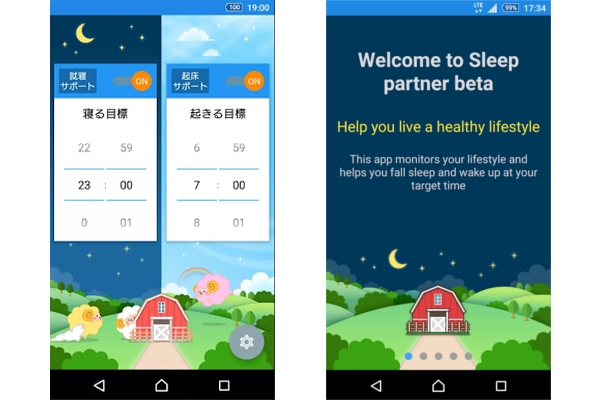
No, Sleep Partner isn't the latest in a long line of casual-sex dating apps (plenty of options out there), but an app designed to make those crucial human routines of getting to sleep and waking up that bit easier. Similarly to Twilight, Sleep Partner works partly by filtering out the blue light on your smartphone screen in the hours leading up to your bedtime (which you set yourself). This reduces glare and prepares your eyes for resting by giving your screen a warm reddish-brown tint. The app helps you out with the excruciating process of waking up too, as it offers its own alarm system that includes the soothing sound of birds chirping to ease you into the new day - a refreshing change from the cacophony of abrasive sounds that often make up the default alarms on Android phones. If you miss the bedtime you set for yourself in Sleep Partner, then you'll be greeted by a bunch of sheep on your screen (the more missed bedtimes you have, the more sheep), pushing you to go to bed. Kind of cute, though admittedly a bit annoying considering they appear over whatever you're doing on your phone...

8. Pocket - Keep Your Favourite Articles In One Place
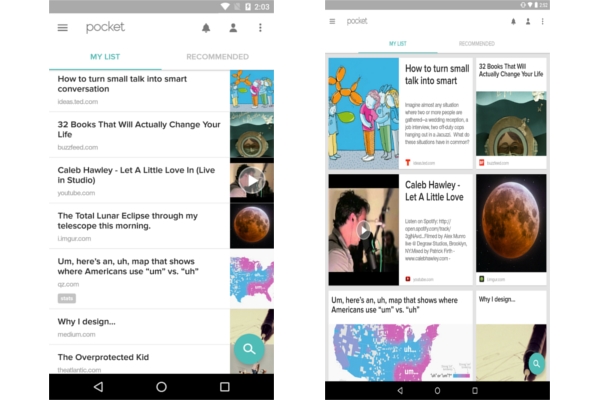
How often do you find an article online that's really engaged you, but can't finish reading it for whatever reason, then tell yourself you'll return to it but never do? This occurrence is one of the big middle-class malaises of the information age, but Pocket offers a solution. With Pocket, whenever you're reading an article using a web browser, email, or any of the big social apps or news aggregators like Flipboard and Feedly, you can save the story with a simple tap, then read it back offline in your own time. There is no limit to how many articles you can save, and Pocket has a simple, unintrusive interface that doesn't distract you from the reason you're using it - that's reading, in case you didn't guess. Finally, you'll be able to put those tedious journeys on the subway where you stare at the ads above peoples' heads behind you, and immerse yourself in a self-curated collection of articles and videos that interest you.

7. Adobe Premiere Clip - Best Video Editor On Android
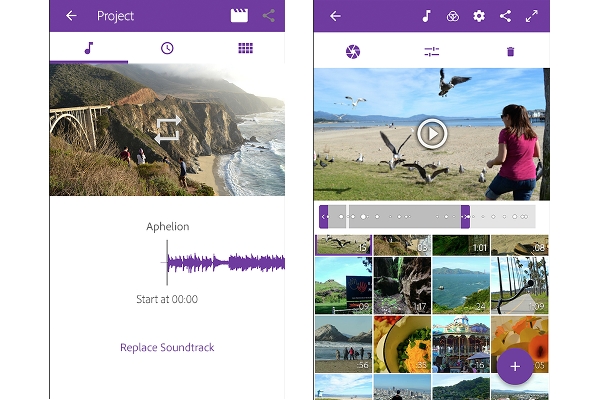
While every Android manufacturer ensures that their devices have fairly robust photo-editing suites, pretty much none of them have solid video-editing apps baked in. This is perplexing, considering that phones are now the dominant means by which we record videos today. Thankfully, Adobe have stepped in to save the day with Premiere Clip, an app that brings a surprising amount of depth over from the desktop version of Premiere, and condenses it into a neat, tappable, swipeable interface. Among the options, you can trim videos, adjust their hues, rotate them, and splice them together with other clips to create longer videos. You can edit videos recorded on your phone, then when you're done export them to Adobe's Creative Cloud, or throw them directly onto social networking sites. Just the kind of high quality editing suite we'd expect from Adobe!

6. Strava - Make Your Fitness Routine Competitive
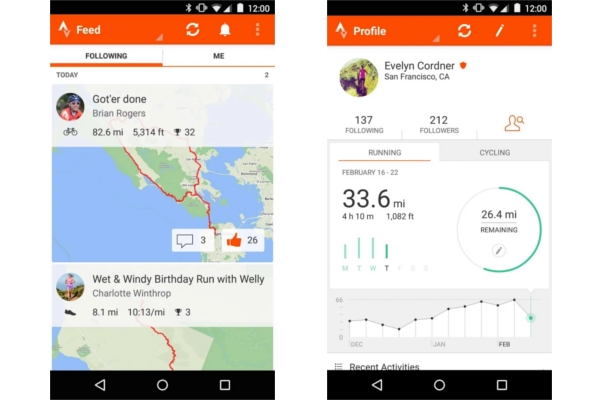
Jogging is something that tends to be most productive when done in tandem with other people. While going solo lets you go easy on yourself, having someone by your side brings out the competitive fiend in all us helping, propelling us to push ourselves that bit harder. While having a running partner is great, wouldn't it be awesome if you could compare your running times with your friends and other people around the world on an online leaderboard? That's exactly what Strava offers - an online platform that lets you not only track your running times and share your routes with other people, but challenge friends to beat your records, try to beat their records, and take part in monthly challenges set by the app based on your running level. Strava is one of the most innovative fitness apps of recent years, hooking joggers and cyclists up a buzzing online community of likeminded fitness freaks. But if Strava doesn't make things quite gamey enough for you, then there is another option...

5. Zombies, Run! - ... Or Turn Your Fitness Routine Into A Survival Game
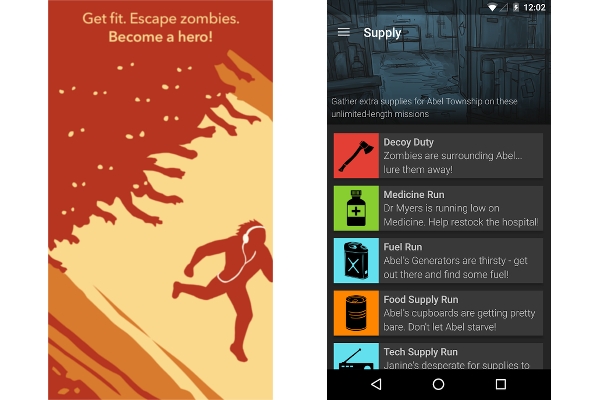
Everyone loves a good survival game, but this super-popular app combines certain tropes of the genre with keeping fit, by simulating a zombie-apocalypse scenario when you go running. Co-written by author Naomi Alderman, the app casts you in the role of 'Runner 5', and it's your job to literally run around, picking up virtual supplies and avoiding zombies attacks (also virtual), in your attempts to keep a small group of survivors alive in their hideout. In the full version, there are over 200 'missions' for you to complete. When you're out running, you'll be chased by zombies through your headphones, forcing you to pick up the pace on your runs. If you fail in these challenges, you drop crucial supplies, and have less to take back to your group of survivors at the end of your run. An awesome, immersive app that spices up jogging for those who'd otherwise find it monotonous.

4. Forest - A Game That Stops You Using Your Phone
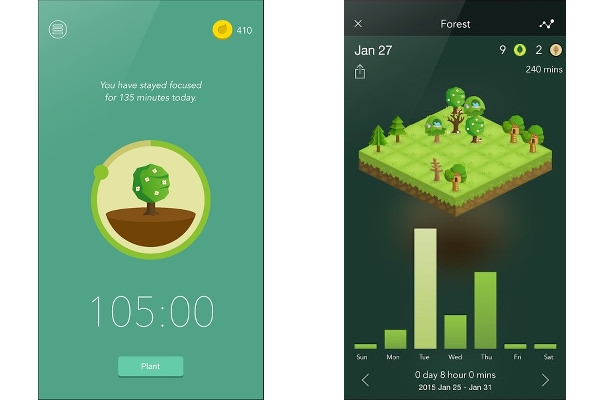
Try to wrap your head around this, if you will. Forest is an Android game that you play by not touching your phone at all; the more time you spent not touching your phone, the better you are at the game. Confused? You see, in Forest you plant a seed when you decide that you want to focus and not use your phone for a while. After 30 minutes, this seed grows into a cutely-designed little tree, but if you use your phone within those 30 minutes, then your seed will grow into a withered little twig. The idea is that this game rewards you for not messing around with your phone, and offers an incentive to not get distracted by Tweets, Facebook Likes and Instagram photos all the time by growing a digital forest. It's a great way to get you to focus on your work, and it's extremely satisfying when at the end of a day you're presented with a forest full of trees, each one denoting half an hour that you spent not faffing around on your phone. You can track your progress over time, and even share your little paradise with your friends.

3. Timehop - What Did You Do A Year Ago Today?
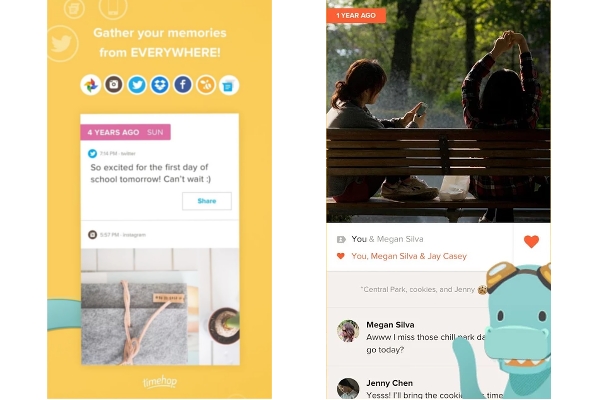
Simple yet poignant, Timehop is one of those apps that you definitely don't need in your life, and yet having it will make each day that little bit more wholesome as you reflect on the things you did one, two, three or more years ago on each day of the year. The app works by syncing up your date from your phone and social networking sites like Twitter, Facebook, Instagram and others, bundling your posts together into one pithy place, depicting a tapestry of your online interactions on that day. A cute idea, and one that you'll quickly find a welcome addition to your apps collection, so long as it doesn't keep reminding you about broken-down relationships, particularly embarrassing things that you've posted in the past, or other aspects of your past that are best left buried deep in your social networking timelines.

2. Apple Music - Stream Your iTunes Library to Your Android Device
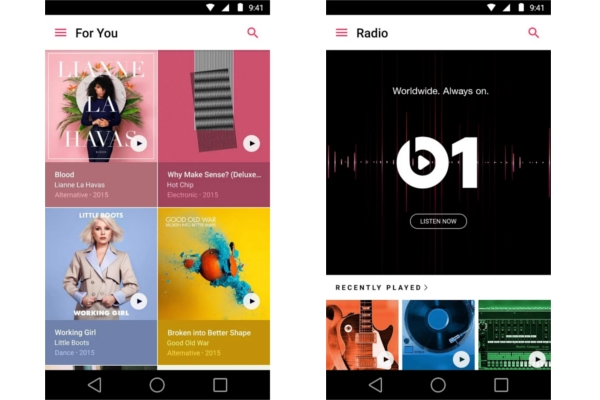
It feels strange looking at that iconic iTunes logo on the Google Play Store, doesn't it? And yet there it is, the iTunes quaver beckoning Android users to have a go at Apple's relatively new music-streaming service. Apple Music is the first app that Apple has officially released for Android, and grants users access to the subscription-based Apple Music service (with a three-month free trial). If you're already part of the Spotify tribe though (and who isn't?), then the feature that could be of most interest to you is the option to stream your entire iTunes library to your Android device - something that everyone's long been waiting for. While the app still feels like a work-in-progress, with compatibility issues on quite a few Android devices, it's taking step towards bridging that frustrating gap between your iTunes music and you Android phone. Apple seem determined to push their new service hard though, so expect to see big improvements throughout 2016.

1. VLC For Android - The Best Way To Watch Videos
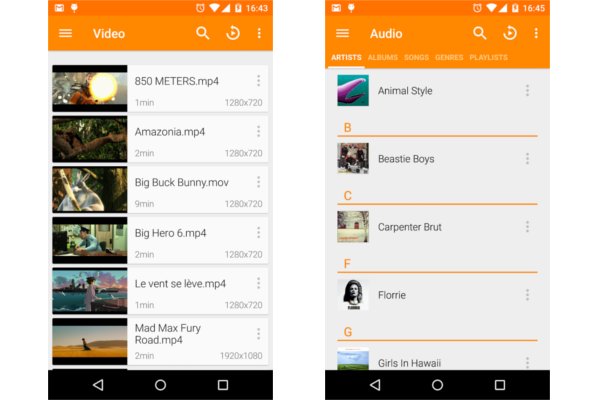
The definitive video player for computers has been long in the works for Android, with a beta version of the app existing for what felt like forever before the full version became available. Still, VLC for Android is now a real thing, offering you plenty more options and compatibility than your average in-built video player. Its supported formats include MKV, MP4 and AVI, as well as more obscure ones like Ogg, TS and Wv. Basically, pretty much any video you want to play on your Android device is playable through VLC. You can even stream content from media servers and other devices in the house. Among its other nifty features are the subtitles, multi-track audio and the ability to play ISO files, all of which is contained in an orange material-design interface that makes it easy to manage your entire video collection. Which apps can you not live without? Let us know with a comment, and if you're an Apple loyalist then check out our list of the best iPhone apps for 2016! If you fancy yourself a writer, then why not try writing for WhatCulture yourself?

Contributor
Contributor

Gamer, Researcher of strange things. I'm a writer-editor hybrid whose writings on video games, technology and movies can be found across the internet. I've even ventured into the realm of current affairs on occasion but, unable to face reality, have retreated into expatiating on things on screens instead.