The Division 2: 10 Tips & Tricks The Game Doesn't Tell You
Getting to grips with Ubisoft's thrilling open-world shooter.

The agonising wait is finally over: Tom Clancy's The Division 2 is here, and it's fair to say that the early consensus from fans and critics alike is that it's both a solid improvement over the fun-but-flawed original and also a major credit to the "looter shooter" genre.
But as with so many open-world squad-based multiplayer titles, The Division 2 is a rather complex game that can seem quite daunting at first, especially to those coming in completely fresh.
Though the game does a (mostly) great job laying out its menus and systems in a fairly clear and concise fashion, there are some aspects that Ubisoft doesn't really explain all that well.
But fear not, because having spent a hefty chunk of time with the game in its early launch period, we've rustled up a list of everything players both new and old should take heed of before venturing out into The Division 2's post-apocalyptic Washington, D.C.
And in addition, we've stumbled across some handy tricks which will make you a more fierce combatant on the battlefield while also saving you some precious time...
10. You Can Dodge-Roll While Reloading
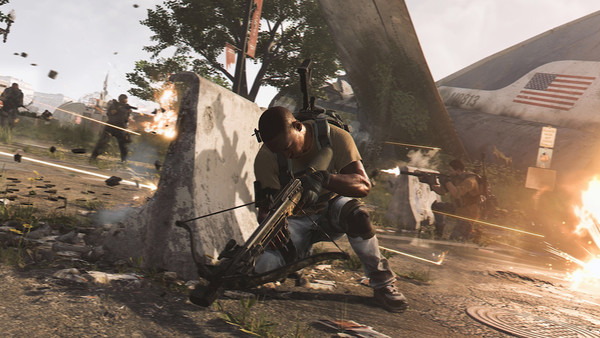
It can prove quite frustrating getting caught short with a lengthy gun reload in the heat of battle, forcing you to either flee to cover or, if there's no cover nearby, tough it out and hope for the best.
But you can make life easier for yourself by combining the dodge-roll move with the reload for many weapons (most of them automatic).
To perform this trick, wait until your reload bar is about 2/3 full and then perform a roll. This will allow you to keep moving and be basically impervious to gunfire while your gun completes reloading. And of course, as soon as the roll is completed, you'll have a full clip ready to go.
There is a slight knack to it, as rolling too early will cancel the reload animation entirely and force you to start again, leaving you vulnerable to gunfire once the roll is completed.
But it doesn't take too long to get into the habit of it, and it can mean the difference between life and death during some particularly gnarly gunfights.
9. Unlock The Accolade Perks First
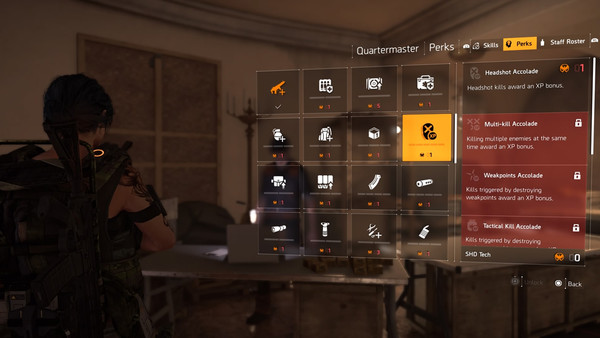
Shortly after you begin playing, you'll unlock the Perks menu, which can be accessed from the Quartermaster.
Perks are effectively power-ups that can be unlocked with the SHD Tech you'll gather from completing missions throughout The Division 2, though it goes without saying that some are more useful than others during the early hours of the game.
After unlocking the mandatory weapon slot upgrade perk, you'll be free to tackle the rest however you wish.
But it's advisable to unlock all five tiers of the Accolade perk first, as it will grant you bonus XP for a wide variety of activities (such as getting headshot kills, multi-kills, environmental kills and so on).
With all five tiers unlocked, this can add a not-insignificant amount of XP to intense firefights and basically make levelling less of a grind.
The Restock perk is also pretty handy, but Accolade offers up some immediately noticeable gains, especially if you've got enough SHD Tech Points banked up to unlock them all within the first few hours.
8. Side Missions Scale To Your Level (So Save Them For Later)
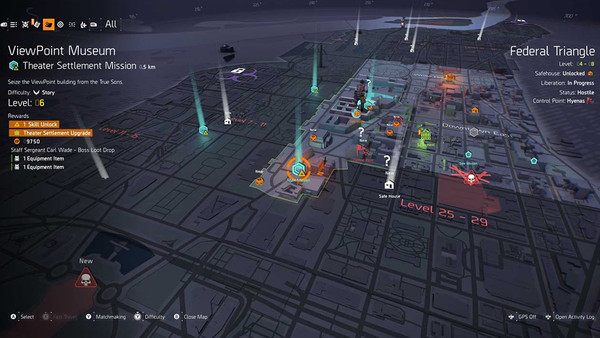
With there being a decent amount of level-spacing between the main story missions, you might be tempted to dip into some of the side missions early on to ensure you're appropriately levelled for the fight ahead.
Except it's worth knowing that side missions will fully scale XP to your current level, and so there's a clear incentive to hold fire on side missions until much later in the game, when climbing up the ranks starts to feel like more of a slog.
The occasional side mission played at lower levels won't hurt, but you're honestly better off just rinsing the countless events and encounters scattered throughout the world instead if you wish to hoover up some extra XP.
7. Avoid Relying On Fast Travel

Though The Division 2 has a fantastic fast travel system which allows players to visit previous locations with the press of a button (following some surprisingly reasonable loading times, of course), you're advised to avoid this temptation wherever possible.
You see, the game's world is absolutely littered with things to do, from Control Points to "random" events, not to mention all the loot and collectables littered around pretty much every square inch of D.C.
This will not only help ensure a steady stream of XP coming in, but also give you a wealth of materials for crafting.
Relying on fast travel will allow you to quickly blast through the game's critical path, but you'll not only miss out on a ton of the content populating the world, but also much of the game's rich, stop-and-smell-the-roses atmosphere.
6. The Drone Is The Best Skill
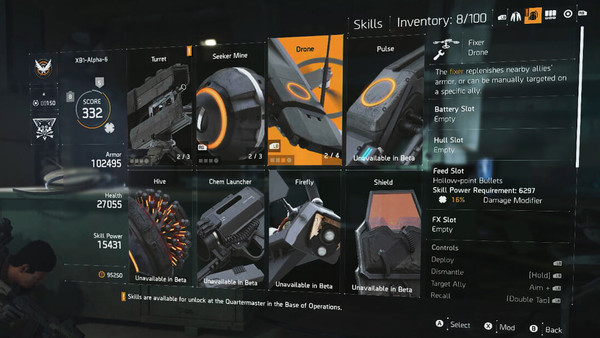
In addition to Perks, there are also eight Skills available to unlock and augment, from additional offensive weaponry to tech intended to heal you and your teammates in a moment of desperation.
Firstly, don't bother with the Pulse skill right off the bat. It may look cool and we've all got a certain nostalgic fondness for it from the first game, but it's surprisingly ineffective during most engagements throughout the game and ultimately just a waste of resources.
Now, there are a number of useful skills, though the best is easily the Drone, especially once you unlock the Fixer variation, which will track your team and provide constant healing during firefights.
The Turret and the Chem Launcher are also worth fully unlocking, though the Drone offers the most immediate boost from the jump, especially if you're playing solo and need all the help you can get.
5. Use Your Junk Gear For Projects
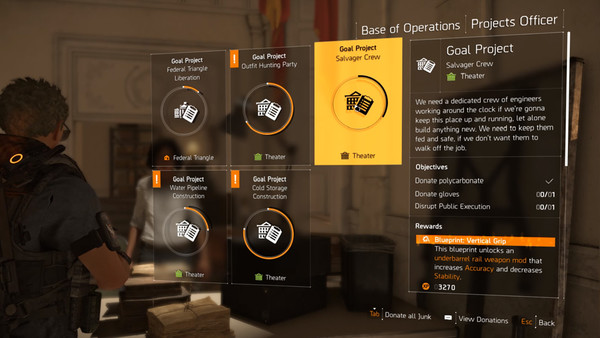
The Division 2 is extremely generous when it comes to loot: even the most benign firefight will typically shower you with a surplus of gear which can be taken to a vendor and sold or salvaged for materials.
But it's often advisable not to do this, as excess gear can instead be handed in to the Projects Officer at the Base of Operations and various Settlements. This can result in not only huge XP gains but also other rewards such as blueprints and new missions.
Helpfully, the "donate all junk" prompt will automatically hand over all your junk which can plug into the various Projects rather than having to do it manually.
Given how easy it is to bypass the Projects part of the game entirely, this is definitely worth keeping in mind rather than getting into the habit of quickly flogging or salvaging all your wares after every mission.
4. Visit All The Safe Houses
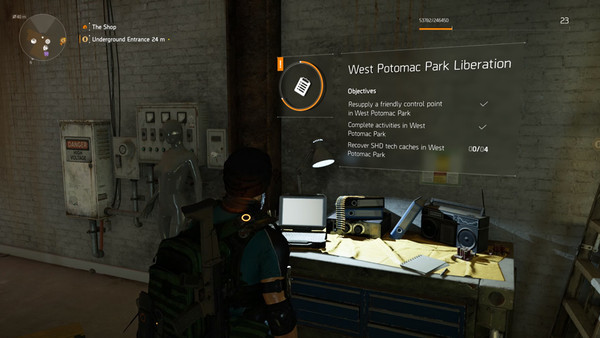
The Division 2's Washington D.C. is of course comprised of a number of distinct districts, and any time you enter a new area, it's absolutely vital to first visit the Safe House of that region.
Not only will this give you a new fast travel location - though again, don't rely on them! - but it will also allow you to restock, unlock some new challenges and illustrate points of interest which can lead to greater XP and loot rewards.
This should basically be the first thing you do every single time you enter a new area, because it helps each zone feel more alive and immediately opens up your opportunities moving forward.
3. Dismantle Skills To Halve Their Cooldown Time
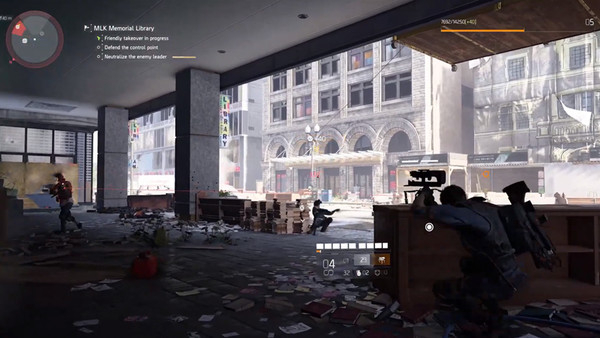
Now, this is a really neat trick. Any time you use a Skill, you'll notice that a cooldown timer will appear, preventing you from re-using said Skill for up to a few minutes at a time.
But you can do yourself a favour by manually dismantling the Skill before it expires (by holding down the deploy button for a few seconds), which will in turn halve the amount of time the cooldown takes.
It honestly feels like a bit of a cheat considering the edge it can give players during combat - especially with relation to the turret - but given that it was also a feature in the first game, it doesn't seem like Ubisoft will be patching it out anytime soon.
2. Cover Movement Can Be Altered In The Menu
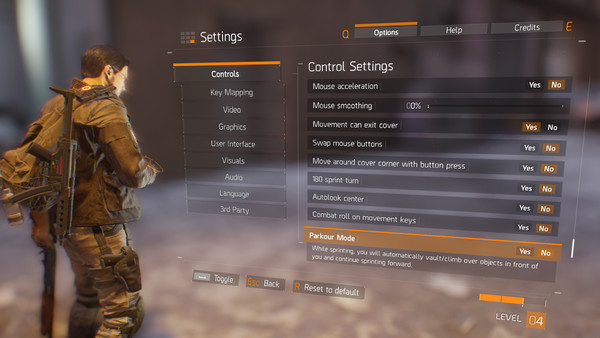
The Division 2 gives players a decent amount of control over how exactly they play the game, particularly as it pertains to player manoeuvrability.
Though the game's cover mechanics are pretty rock solid, the auto-movement around corners isn't for everyone, as it can result in players accidentally removing themselves from cover during combat and getting fired upon.
But fear not, because the game's controls menu has the option "move around cover corner with button press", which if toggled on, requires players to press a button before turning around an object.
For those who've been caught short by the automatic traversal in the past, this is a God-send, and an easy way to cut down on a potential frustration during crowded higher-level battles.
1. Voice Chat Is Actually Worth Using

Much like the first game, The Division 2 is one of the few Games-as-a-Service titles that actually benefits from open communication between players, and as such, you'd be foolish to not at least give the game's voice chat a go.
Even if you're playing with randoms, voice chat can be enormously useful in terms of mapping out flanking strategies and also alerting other players of threats they perhaps haven't noticed (especially if you're a downed spectator and trying to keep your one remaining squad member alive).
While in many AAA games the in-built voice chat is basically useless and just invites puerile banter, from our early time with The Division 2, it can actually be an invaluable resource, if not also a great social tool even for those who aren't playing with friends.
What do you think of The Division 2 so far? Got any of your own tips to share? Shout them out in the comments!